The terminal
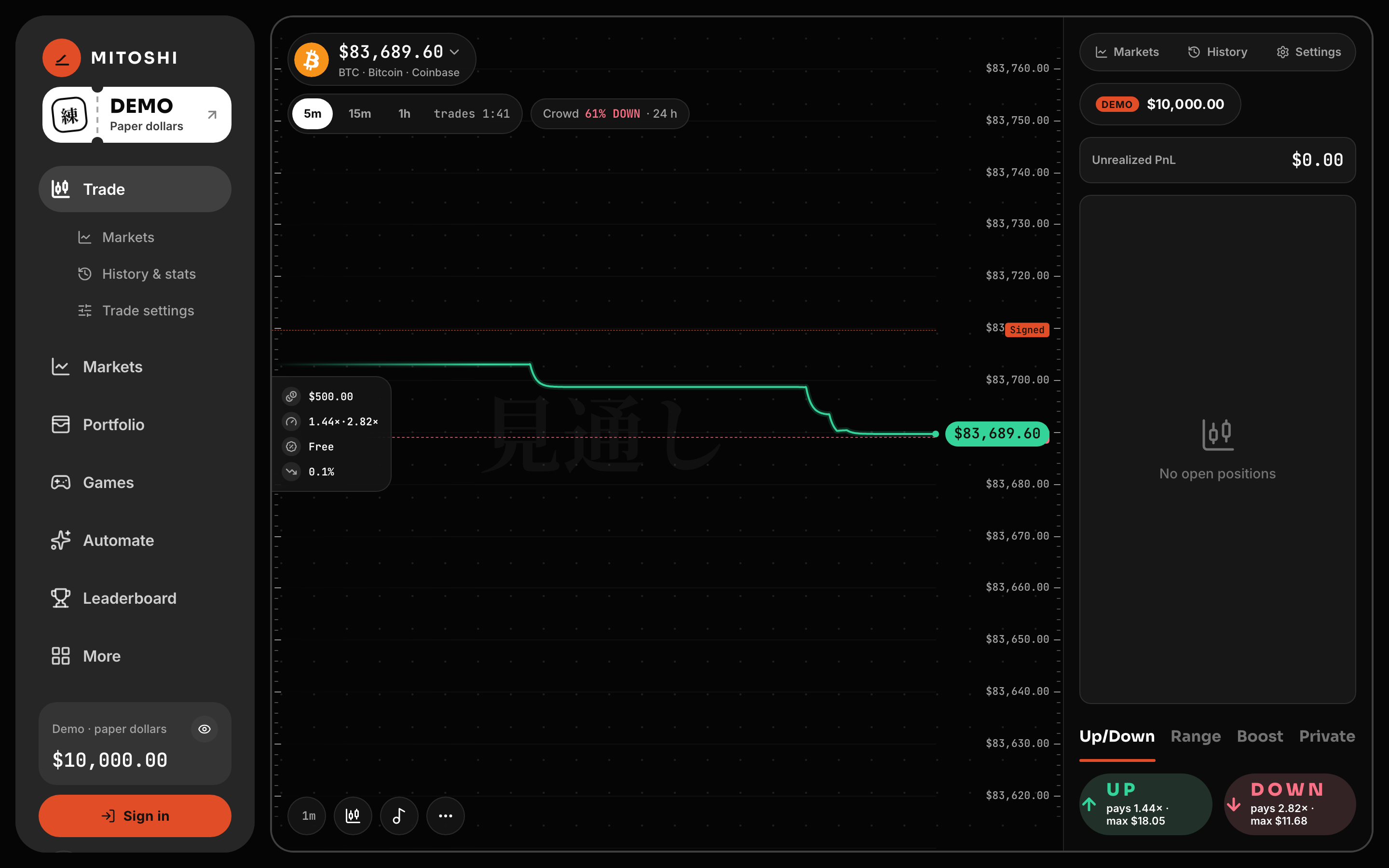
The whole trade on one screen at /trade — the line, the Window, two buttons — and everything else opening over it.
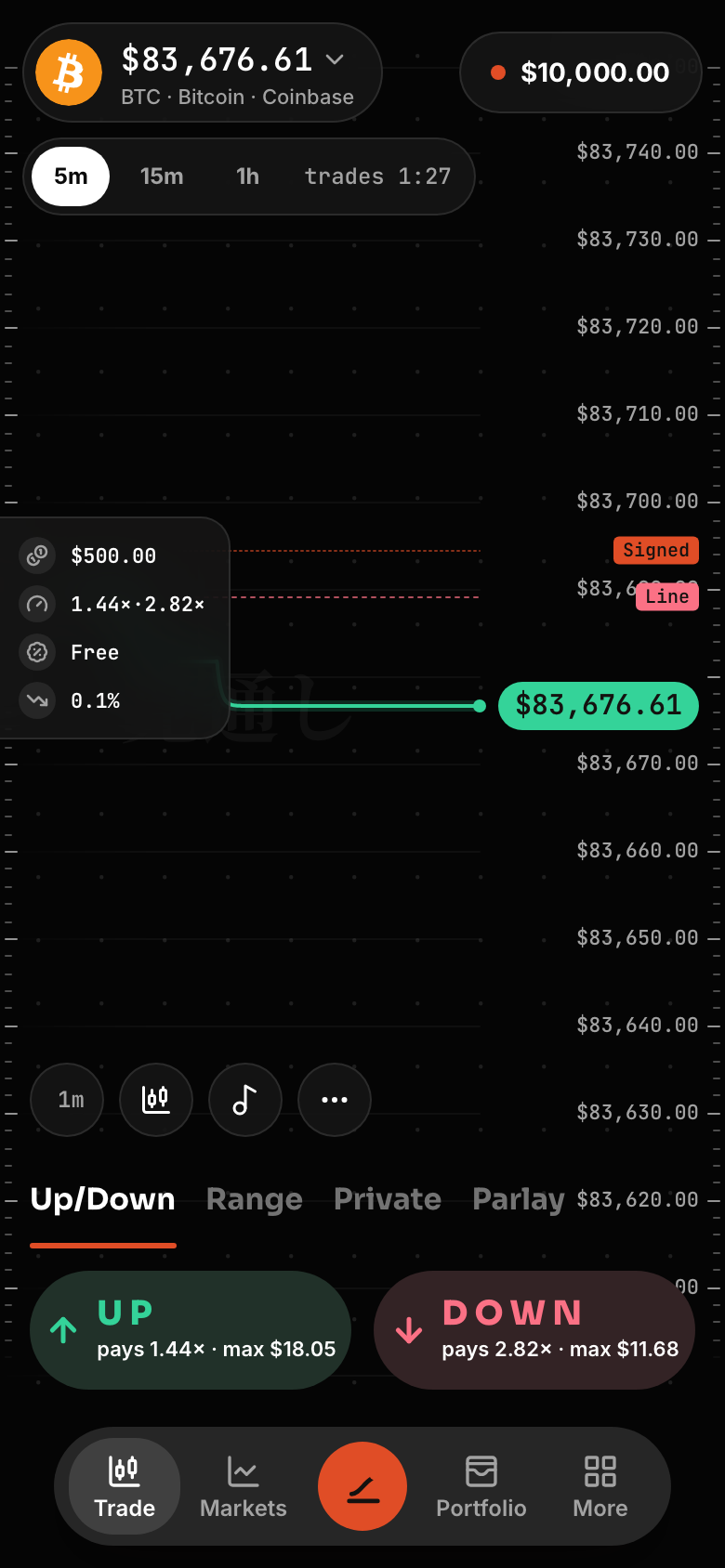
Open /trade/BTC, or any asset as /trade/<symbol>. On a phone the dock stays under it.
On screen
| Part | What it shows |
|---|---|
| Asset chip | The asset and its live price. Tap it to switch markets: favourites, crypto, stocks, search. |
| Window chip | The lane (5m, 15m, 1h, 24/7, Gap) and its clock: "trades 2:32", "pricing…" while the opening print lands, "no Window" between rounds. On a phone it carries the NYSE session too. |
| The line | The live price from a display feed, so you can watch where it's going. Line marks the Window's opening print; Signed marks RedStone's latest signed price. |
| The card on the chart | Your size, what UP and DOWN pay per dollar right now, the fees (free) and the trailing distance. |
| UP / DOWN | One tap each. The multiple under the word is 1 ÷ the price you would pay. When there is no Window, they are off and say why. A toast names each fill; its Receipt shows what the engine booked and the key that signed. |
| Positions | One row per held side: its value — what CLOSE pays now — its P&L and CLOSE. "≈" marks a value repriced on the line between book reads; a row with no P&L says why ("Locked · settles", "No bids", "Updating"), a thin book reads "N% sellable", and an answered Window "Settled · paying" or "Settled · lost". |
The display feed is Coinbase trades for crypto and Alpaca's exchange trades for stocks, with RedStone's signed value beside it. It never settles anything (prints).
Modes
Under the chart: Up/Down (the default), Range, Boost, Private and Parlay (Range and Moonshot, Parlay, Boost and Private). On a phone, Boost sits in Trade settings. The chart controls are the interval, line or candles, music, and ⋯ for Depth, Room, Sensei and Alerts.
A position's details
Tap a position for its Window, where it is held (wallet or Trading Balance), the line, your stake and average price, what CLOSE pays now, the P&L and when it settles — then Reduce by 25, 50 or 75 %, CLOSE, Add, TP / SL, Share, or the proof of its prints.
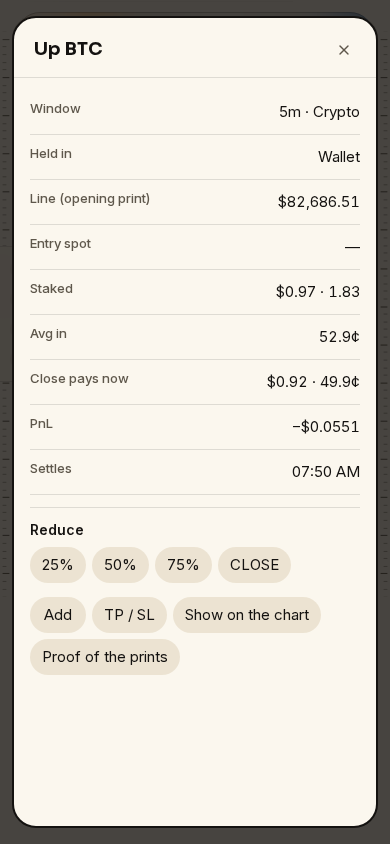
What CLOSE pays now and the P&L read off the book; Reduce, CLOSE, Add and TP / SL act on it.
Your account drawer
- History & stats: every closed round with lifetime P&L, win rate, trades, win streak, best streak and volume, and a replay of each.
- Activity: deposits, faucet claims and withdrawals, each linked to its receipt.
- P&L: today, 7 days, 30 days or all time, with its curve.
- Trade settings: your tap size (5 % of what you can spend until you set it), Boost, the trailing distance, the close tolerance — how far below the shown value a one-tap CLOSE may land without asking — and One-tap.
Signed out: DEMO
Before you sign in the terminal trades on paper. The equity pill reads DEMO: 10,000 paper dollars kept in this browser, calls filled at the live book's price, CLOSE paying what CLOSE would pay, and positions still open at the close settled on the real signed result. Paper never touches the chain.
The first visit opens a five-step tour; once dismissed it does not come back.